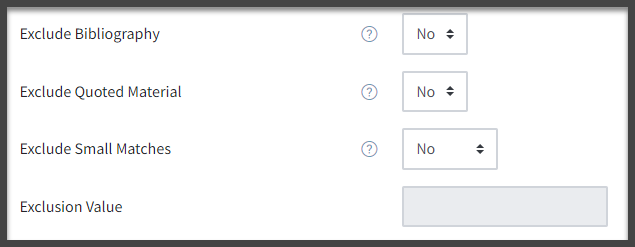
When setting up a Turnitin assignment, you can choose to exclude quotations and/or references from the similarity index and originality report generated by the system. This can potentially reduce “noise” and give a more representative similarity index. However, in order for this to work, the file submitted by the student must be formatted in a particular way.
If you wish to use these features, you will have to ensure that your students are aware of how they should format their work before submitting it.
You should also be aware that, as Turnitin state, “the functions for excluding material are approximate and human judgement is the final arbiter for proper quotation or bibliographic reference.”
The settings for excluding quoted material and bibliographies can be found in the “Turnitin plagiarism plugin settings” section of the assignment settings screen for a Turnitin assignment.
By default, both options are set to “No” and they cannot be changed after students have started making submissions for the assignment.
If the Exclude quoted material option is set to “Yes” Turnitin will ignore text which:
Is enclosed between double quotation marks or is indented.
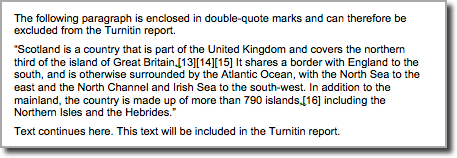
This shows an example of a report in which quoted material has been enclosed in double-quotes. Note that using single quotes will not work.

This shows an example of work in which indentation has been used to denote quoted material.
If the Exclude bibliography option is set to “Yes”, any content appearing in the work after one of the following keywords/phrases will be excluded from the similarity index:
The keyword/phrase should appear on a line on its own.
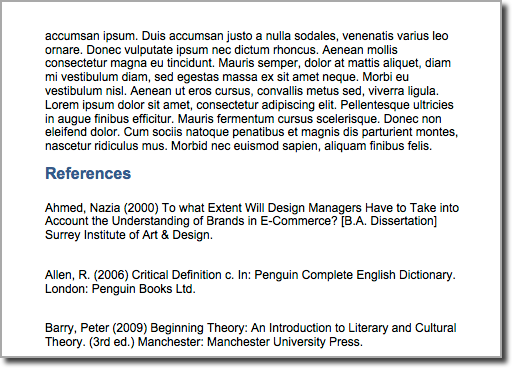
In this example, the heading “References” has been used. All text after this point can be excluded from the Turnitin report.
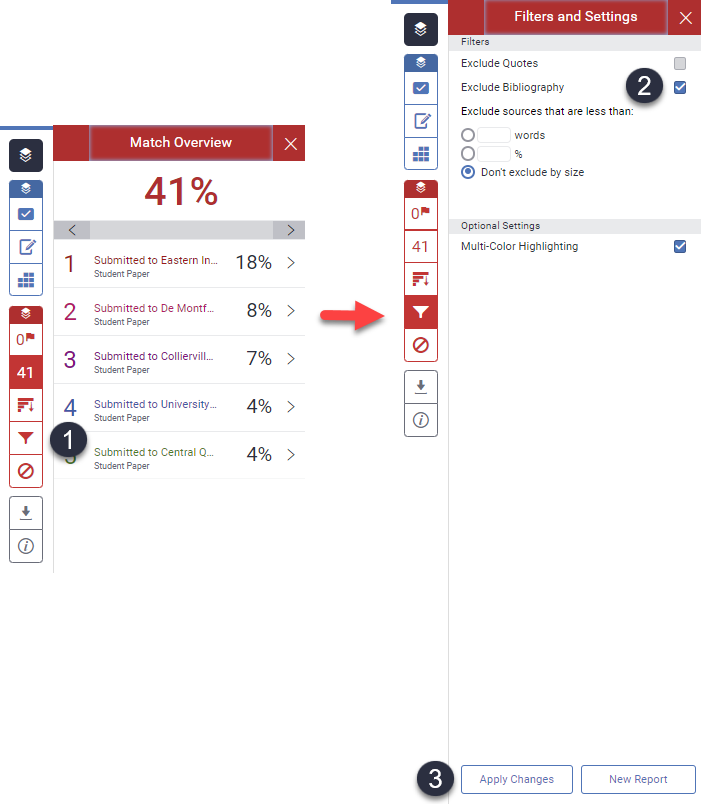
Even if you have not used these settings on the assignment itself, you can still choose to exclude quoted material and/or a bibliography when you are viewing a student’s originality report.
Did this answer your query? If not, you can raise a ticket on the online Helpdesk or email: its-helpdesk@qmul.ac.uk . Alternatively you can also request a particular guide or highlight an error in this guide using our guides request tracker.

Produced by the the Technology Enhanced Learning Team at Queen Mary University of London.

Queen Mary University of London
Mile End Road
London E1 4NS
Tel: +44 (0)20 7882 5555
© Queen Mary University of London.
